 DONNOK
Customize a retro money display with FLIP, NIXIE and a clock
Turn DONNOK into a retro desk display. Compare real FLIP and NIXIE screens, then combine a custom title, 24-hour clock and lower information fields.
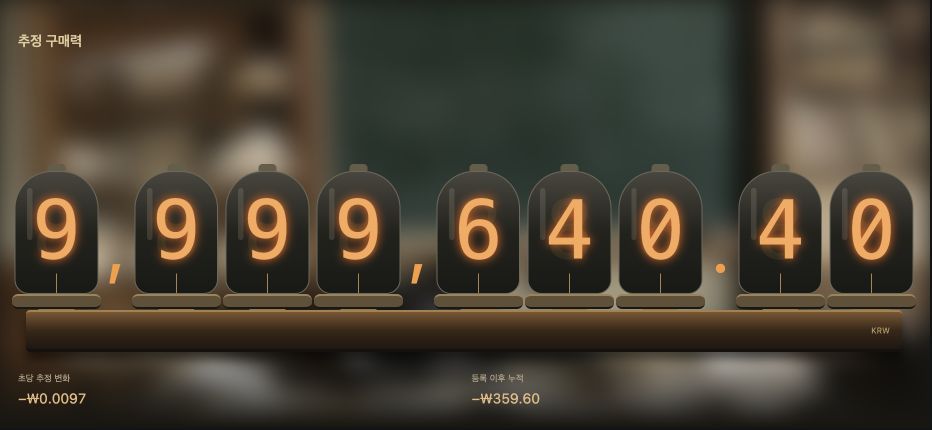
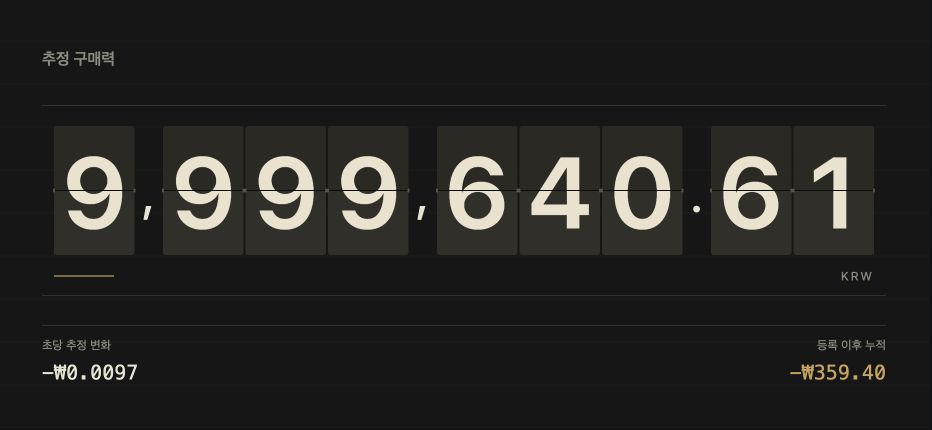
Split digits or a Nixie-tube look?
FLIP separates the amount into cards, making individual digits easy to pick out. NIXIE combines warm orange digits with a vintage instrument-panel feel. These are actual landscape captures from the app, with example amounts.
FLIP is a money-display theme, rather than a large flip clock. You can enable a separate clock in the top-right corner of fullscreen mode.
Three combinations for your desk
These titles are suggestions you can type, not built-in preset names. A title does not change the amount or calculation. The theme comparison below covers all eight choices, including MINIMAL and MONO.
| Mood | Theme and example title | Clock and lower fields |
|---|---|---|
| Tidy work desk | FLIP · My reserve | Clock on · both lower fields off |
| Warm retro corner | NIXIE · Money over time | Clock on · cumulative change only |
| Quiet number display | MONO · A moment to look | Clock off · both lower fields off |
Where do you change the title and clock?
Open a board in fullscreen, tap the screen to reveal the controls, then open the fullscreen display settings. Enter a top-left title of up to 20 characters. Show clock adds a 24-hour HH:mm:ss clock at the top right.
Choose whether to show the rate at the bottom left and cumulative change at the bottom right, check the preview, then save. These settings apply to fullscreen mode; they do not also customize the regular screen or home screen widget.
Can you use a spare phone on your desk?
Install DONNOK on a compatible device. For landscape use, check the automatic landscape setting in fullscreen mode. The keep-awake setting also applies there; the regular app screen uses portrait orientation.
Choose comfortable brightness and close fullscreen when you leave. Let the device’s temperature, battery and display condition guide your use. The desk-display guide below explains orientation and controls in more detail.
Use the sample to explore the look first
Before recording your first fund, you can explore the sample without displaying your own amount. Changing the title or hiding the lower fields does not hide the large central amount.
Check what is visible on a shared desk. The moving figure estimates purchasing power using Korean CPI; it is not a live bank balance or price data refreshed every second.
Try FLIP with a short title and a clock
Choose FLIP, enter a short fullscreen title and turn on the clock. Hide the lower fields for fewer details, then restore them when you want to inspect the change. Switch to NIXIE or another theme to see which look suits your desk.