 DONNOK
How to use DONNOK: track your money’s purchasing power without a bank link
Add funds, set a start date and watch their estimated purchasing power on a live display. How DONNOK calculates each category and where your data stays.
What kind of app is DONNOK?
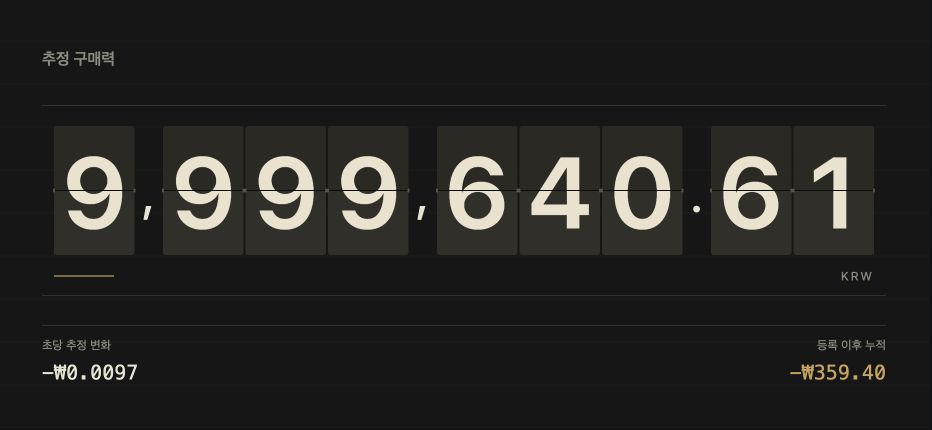
DONNOK shows purchasing power, not a balance. Your balance can stay the same while rising prices reduce how much that money can buy. DONNOK calculates that change for the amounts you enter and shows it on a display that moves every second.
You can choose from eight display themes: MINIMAL, MONO, FLIP, LED, NIXIE, SEOUL, NYC and BANK. The display is also available as a Home screen widget and in landscape full screen. Besides your own funds, you can show an investment scenario and estimated boards for South Korea’s national debt and money supply.
The app is free on the App Store and Google Play and may show banner ads. Ad removal is a one-time in-app purchase. The app interface is available in Korean and English.
How do I add my first fund?
A fund is one piece of money you want to watch. Each fund has its own registration date, and DONNOK assumes you have held that amount since that date.
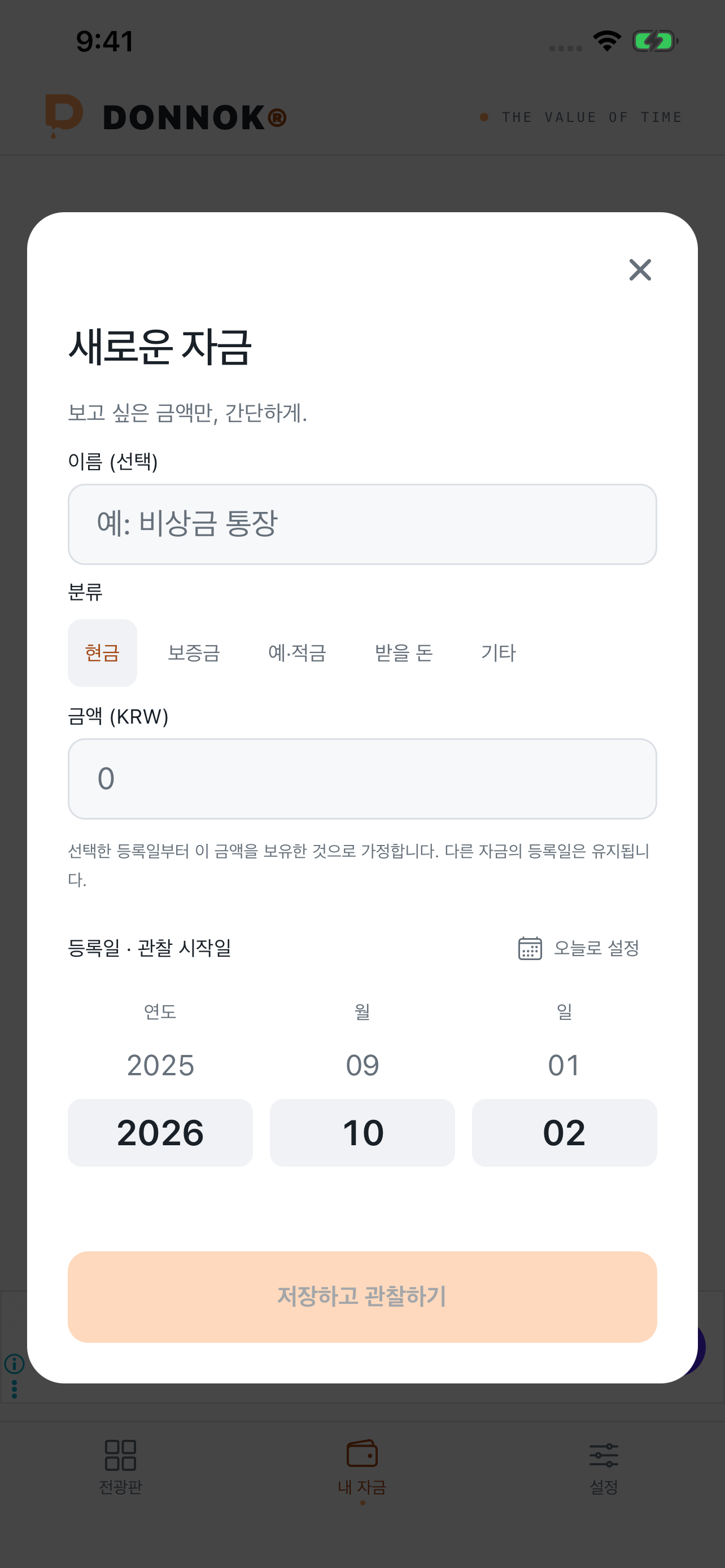
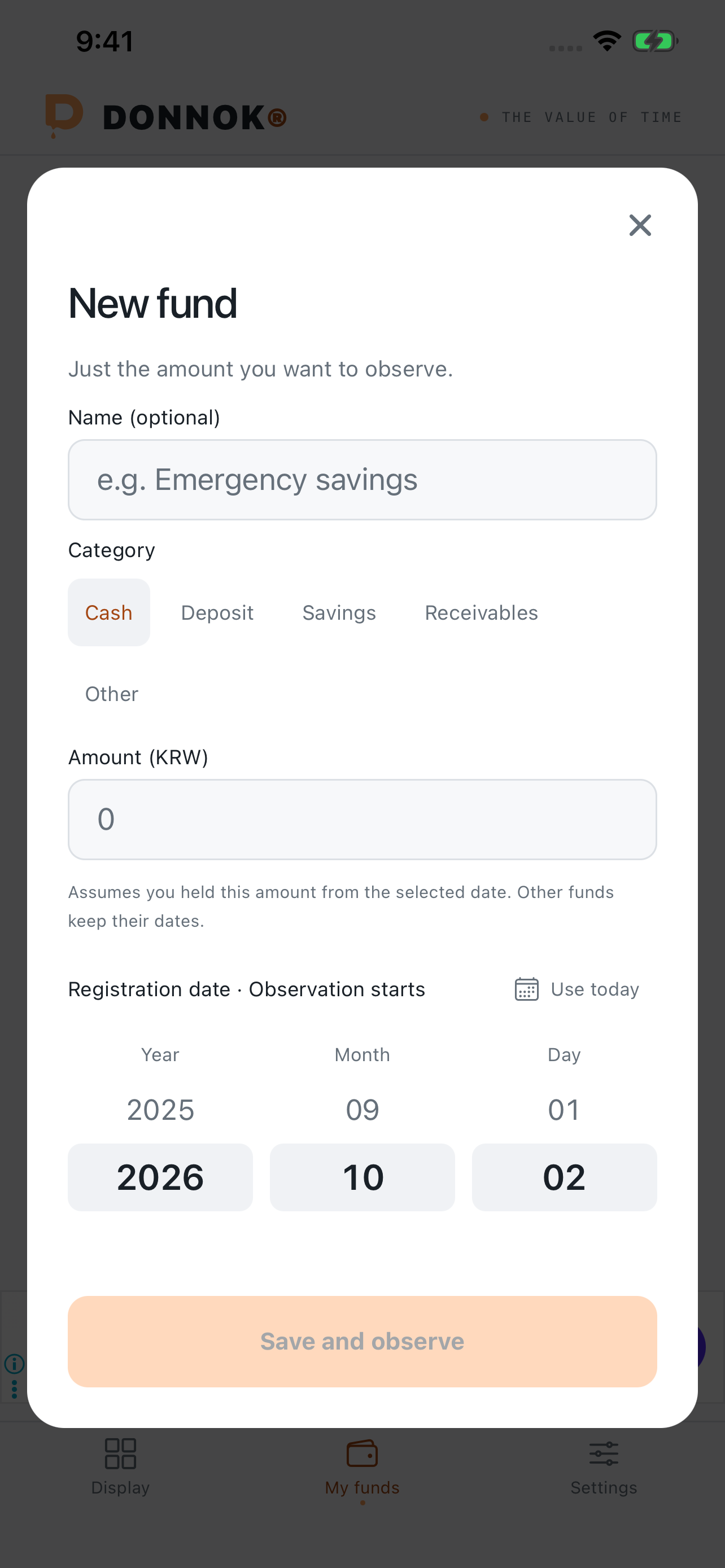
- Open the My funds tab at the bottom and tap Add fund.
- Choose a category: Cash, Deposit, Savings, Receivables or Other.
- Enter an optional name and the amount, for example Emergency savings, 3,000,000.
- Choose the registration date, which is when observation starts. Tap Use today or pick an earlier date.
- Tap Save and observe. The fund appears on the My display board in the Display tab.
How do fund categories differ in the calculation?
Categories are more than labels: each one changes what you enter and what DONNOK leaves out. Avoid registering the same money in two categories.
| Category | What you enter | Calculation assumption |
|---|---|---|
| Cash | Account balance, emergency money | Purchasing power of the amount as entered |
| Deposit | Total rental deposit and any deposit loan | Only your own money after the loan; loan interest, repayment and return risk are not calculated |
| Savings | Principal | Interest and taxes are not included |
| Receivables | Money owed to you | Assumes full repayment; repayment risk is not calculated |
| Other | Any other money you want to watch | Purchasing power of the amount as entered |
How is the number on the display calculated?
Each fund compares the price level on its registration date with today’s. Estimated purchasing power = registered amount × CPI on the registration date ÷ current CPI. Funds are calculated separately and then added together. Days between monthly CPI releases are estimated by connecting the surrounding months.
After the most recent published month, DONNOK assumes the latest 12-month rate continues for up to 90 days. The app checks public CPI data when it starts or returns to the foreground, and uses saved or bundled data if it cannot connect. When the estimation period ends, it keeps the last valid value and shows that an update is needed.
You can choose KRW, USD or JPY, and funds are kept separately for each currency. DONNOK does not convert currencies, and every calculation uses South Korea’s CPI regardless of the currency. A falling number on the display does not mean money is leaving your account.
Where is my fund data stored?
There is no sign-up and no bank connection. Fund names, amounts, loan amounts and results are stored only in the iOS Keychain or Android’s encrypted secure storage and are not sent to servers, analytics tools or ad services.
This data is not included in backups that move to another device. If you delete the app, your records cannot be restored, and on iPhone some information may remain in the Keychain, so use Reset in the Settings tab to delete all fund data inside the app when you want to clear it.
Sharing usage statistics is optional; only if you agree does the app send usage information such as app launches and screen views to Google Analytics. Banner ads use Google AdMob. When you leave the app, DONNOK hides the fund screen and requests screen capture protection.
What should I try after adding a fund?
Switch themes in the Display tab to find a board you enjoy watching, and add a Home screen widget to check it without opening the app. The future purchasing power calculator in Settings shows what the same amount could be worth in a few years.